Can’t Connect to kibana with LDAP
We have a problem on the LDAPS and OIDC connection into ROR. We are using the plugin ROR on Kibana to manage the authentification and authorizations into elasticsearch in basic license.
Previously we was on Flexible engine and we used a LDAP and we are migrating our HELM chart that deploy elastic and kibana into Azure cluster.
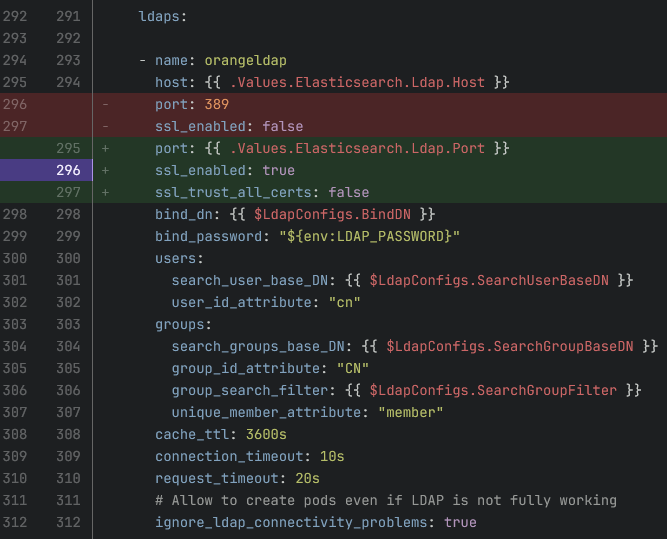
For Azure we decided to use a LDAPS instead of a LDAP and we configured it into the ROR config file.
And readonlyrest.yaml we changed only (See Attached)
For the certificate we added it into ES_JAVA_OPTS with
-Djavax.net.ssl.trustStore=/usr/share/elasticsearch/config/combined-certs/combined-truststore.p12
-Djavax.net.ssl.trustStoreType=PKCS12
-Djavax.net.ssl.trustStorePassword=XXX
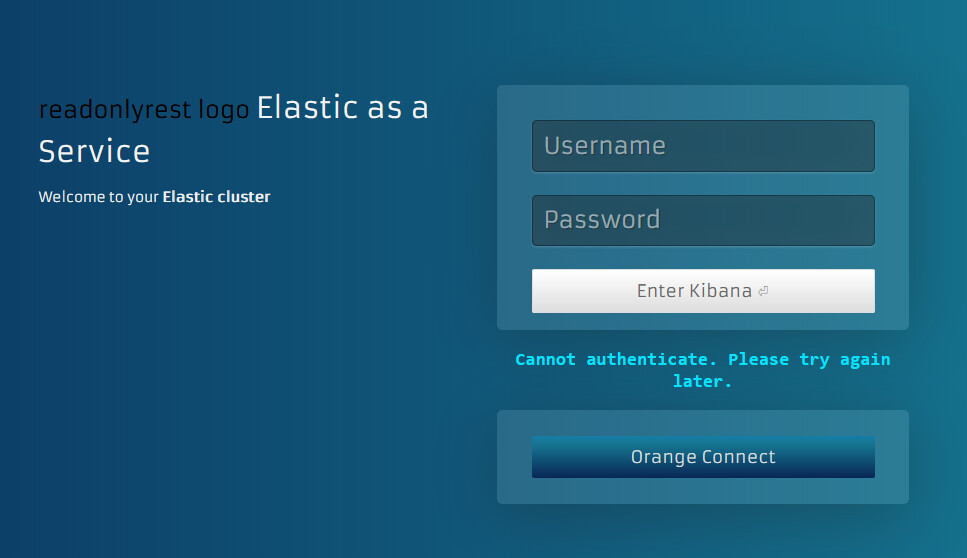
The problem currently is when we tried to connect with the ldaps we are redirected to the login page with an erro message “Cannot authenticate. Please try again later.”
When we tried to connect with orange connect (OIDC) we return into the login page without any error.
But sometimes it work for LDAPS and OIDC after multiple retries for example we test LDAPS KO, after LDAPS → KO, after OIDC → KO, after LDAPS → KO, after LDAPS → KO, after LDAPS OK and we are connected into kibana (it can work on OIDC too, it’s random).
We have the helm chart without ROR and by using Elastic in enterprise version with the same LDAPS and OIDC configured with xpack and it work correctly these two connection methods.
I provide you multiple informations :
all configurations : kibana, elastic, ror.yaml, the cronjob that permit us to send the ror config into elastic
The log of the kibana with this scenario : the deployment of the helm chart is done, we tried to connect using the LDAPS 2 times
Expected behaviour
Access to kibana via LDAP
Technical details
ROR Version: 1.65.0
Elasticsearch Version: 8.18.3
Logs and config files
- Logs and config files are irrelevant to the issue
Screenshots
{“customer_id”: “ec266e44-6350-4c72-a4e7-b0b5d05dacc7”, “subscription_id”: “d23ec4db-5b92-4128-9754-f11e52867f29”}