I have some questions about how does Readonlyrest work with default XPack SSL since it’s now fully supported. Does ROR either overlapps/deactivates Elastic stack built-in users and these do not have to be configured using ‘elasticsearch-setup-passwords‘ or “the same” users have to be used via ROR e.g. kibana(kibana_system), logstash(logstash_system) & elastic admin/superuser or some additional full admin_unrestricted user(with permissions like ‘allow_restricted_indices‘)?
When I tried to test run kibana pointed to secured cluster I got these errors:
[ERROR][plugins.security.session.index] Failed to create session index: security_exception
        Root causes:
                security_exception: action [indices:admin/create] is unauthorized for user [_xpack] with effective roles [superuser] on restricted indices [.kibana_security_session_1], this action is granted by the index privileges [create_index,manage,all]
[ERROR][plugins.security.authorization] Error registering Kibana Privileges with Elasticsearch for kibana-.kibana: search_phase_execution_exception
        Root causes:
                no_shard_available_action_exception: [elastic_node][elastic_node_address:node_port][indices:data/read/search[phase/query]]
BTW. Should ROR be installed for all cluster nodes, even master nodes?
Let me respond with citations from e-mail I’ve recently sent to one of our clients:
That said, enabling xpack.security.enabled: true does not mean that Elasticsearch native security becomes your main authorization layer when ReadonlyREST is installed and patched.

When ReadonlyREST is installed and Elasticsearch is patched, X-Pack Security is mostly disabled internally. In practice, the parts that remain available are mainly:
- SSL/TLS support
- API key management
- Service token management

The actual authentication and authorization rules are still handled by ReadonlyREST.
[...]

A few important details:
1. Yes, xpack.security.enabled: true is a hard requirement for using Elasticsearch-native API keys with ROR token_authentication.
2. Yes, it is supported to run ReadonlyREST with X-Pack Security enabled for this use case. This is also the approach we use for features like Fleet, where Kibana expects some X-Pack Security APIs to exist. Instead of reimplementing those APIs completely, ROR integrates with the native Elasticsearch APIs while keeping ROR as the effective security layer.
3. [...]

[...]
In recent versions, we generally no longer recommend setting xpack.security.enabled: false as the default approach. Enabling it gives access to APIs that some Kibana features need, while ROR still remains responsible for the effective security enforcement.

There is one caveat: when xpack.security.enabled: true is used, you cannot use ROR SSL. You should use X-Pack SSL instead, for both REST and transport encryption. We describe this here: https://docs.readonlyrest.com/elasticsearch?q=xpack.security.enabled#encryption
In most cases, this is not a problem because X-Pack SSL is functionally very similar to ROR SSL. The main difference is that ROR SSL may be FIPS-compliant, while X-Pack SSL is not available in the Basic license.
So, all other X-Pack Security features, users, and tools are disabled or mocked.
BTW. Should ROR be installed for all cluster nodes, even master nodes?
You don’t have to install ROR on all nodes (but you should have to take this into consideration), but we haven’t tested a hybrid cluster (so a mix of ROR and Xpack nodes should be considered as not supported).
And what about Elastic ‘built-in’ AND ‘internal’ users?
I understand that the first ones are deactivated by ROR when patching(as kind of stated in the documentation) but I have no idea why in kibana I got error in log from “plugins.security.authorization“ for elastic internal user ;/
I mean the case when one node has ROR installed (with xpack.security.enabled: true or xpack.security.enabled: false) and the second one has X-Pack Security enabled with no ROR installed on it.
I have no idea why in kibana I got error in log from “plugins.security.authorization“ for elastic internal user ;/
All of our examples are created with xpack.security.enabled: true. Maybe take a look
Okay, so for non-data(e.g master) nodes it would be better to also have ROR installed because there could be some conflict, but it’s not necessary?
I did, but in readonlyrest config I’ve just seen only two users “kibana” and “admin” and I’m trying to connect this with ES clients like beats/kibana/logstash
If you install ROR on all nodes, everything will be fine.
If some of your nodes won’t have ROR installed, it will still be fine, unless you enable X-Pack security on these nodes without ROR. We don’t support this use case.
I did, but in readonlyrest config I’ve just seen only two users “kibana” and “admin” and I’m trying to connect this with ES clients like beats/kibana/logstash
Are you trying to say that you ran our example and you see the problem you mentioned in the first post? If so, please tell me what example and what to do to reproduce it on my side.
If you see it in your setup, please find the differences between your setup and the working example.
No no, your examples are not connected to my case from the first post.
All right, to sum up, for ES clients(e.g. Kibana,Logstash) that would try to connect to secured ES cluster with ROR installed on all nodes, ONLY in ROR config there should be users with specific access/permission rules. “Built-in”&”internal users” Elastic are not used.
Could I have one more question within the same topic?
What user could be the ‘substitute‘ user for “full admin_unrestricted user(like elastic superuser and permissions/role - ‘allow_restricted_indices‘)“ when using ROR with elastic xpack.security? Is it kind of supported or ‘kibana unrestricted’ user can have that range of permissions?
When ROR is installed and successfully patched, the Xpack Security is deactivated (even if it’s enabled). So, users defined in xpack security users’ space don’t have any impact on ROR.
Do you see the same issue in any of our official examples?
All kibana instances and ES nodes have ROR successfully patched:
“Checking if Elasticsearch is patched …
Elasticsearch is patched! ReadonlyREST can be used“
I also discovered that after xpack.security activation the index “.security-7” was created. Is it OK?
Does the (for example) ‘ldap‘ user need an access to “PTH:/_security/user/_has_privileges“ + “ACT:cluster:admin/xp
ack/security/user/has_privileges“(from ES ROR log)?
Previously I had it restricted using “uri_re: ["^/_(?:security)“ & actions [“cluster:admin/xpack/security/*”] and after successfull login in kibana ROR I got kibana view
but with less restictions I see data in Discover tab For now I’m trying to investigate these lines in kibana.log using ROR 1.69.1 with ES+KBN 8.19.7 after logging in kibana.
As you can see in our examples (eg. the “fleet” example) we have it similarly configured:
You can run the example and modify the ROR settings file and try to reproduce your use case. Then show us your ROR settings.
AFAIS, you probably cut off some internal X-Pack related requests from KBN to ES (the Xpack API is still used by Kibana to communicate with ES when the xpack.security.enabled: true is configured) and that’s why KBN cannot do some of its job.
I’m trying to locate the cause of this problem but without any success. Additionaly, I see that when I logged in kibana and got available spaces in Browser devtools there is additional:
‘/kibana_name/internal/security/user_profile?dataPath=avatar%2CuserSettings‘ with ‘404 Not Found‘
above that are ‘/internal/security/me‘ with 200 OK, ‘/internal/security/session‘ 200 OK, ‘/X/internal/security/me’ 200 OK, ‘/internal/security/session’ 204 No Content
Does Readonlyrest somehow uses that internal kibana/elastic endpoints or with unsupported ‘Stack Management - > Security App‘ it is covered by ROR or THAT internal/security is not linked to xpack.security ?
Do you, on your side, have any of that requests(/internal/security/analytics/_record_auth_type + /internal/security/user_profile/* ) in Browser devtools, all with Responses 200 OK?

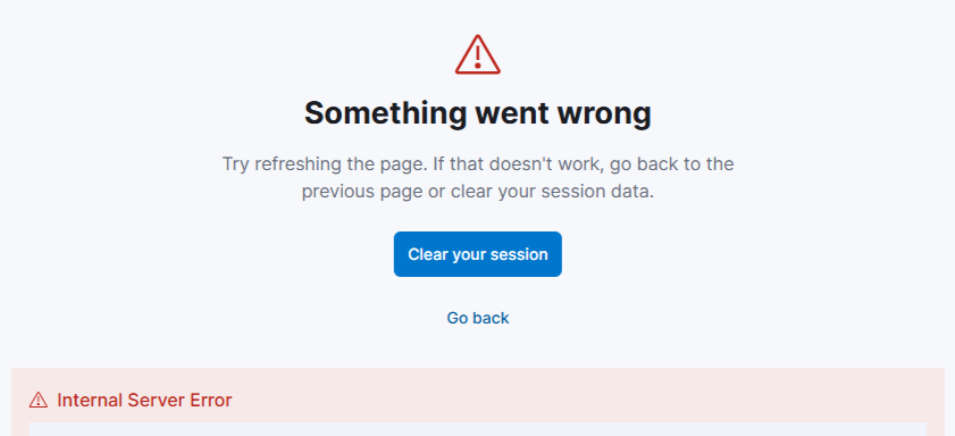
 For now I’m trying to investigate these lines in kibana.log using ROR 1.69.1 with ES+KBN 8.19.7 after logging in kibana.